PRODUCT FEATURES & CAPABILITIES

What ATIITHI Software Does —
Feature by Feature.

A comprehensive breakdown of enterprise features engineered specifically for factory managers, storekeepers, quality inspectors, and shopfloor operators.

Scroll Down
LIVE SOFTWARE PREVIEW

Actual ATIITHI Screen Operations

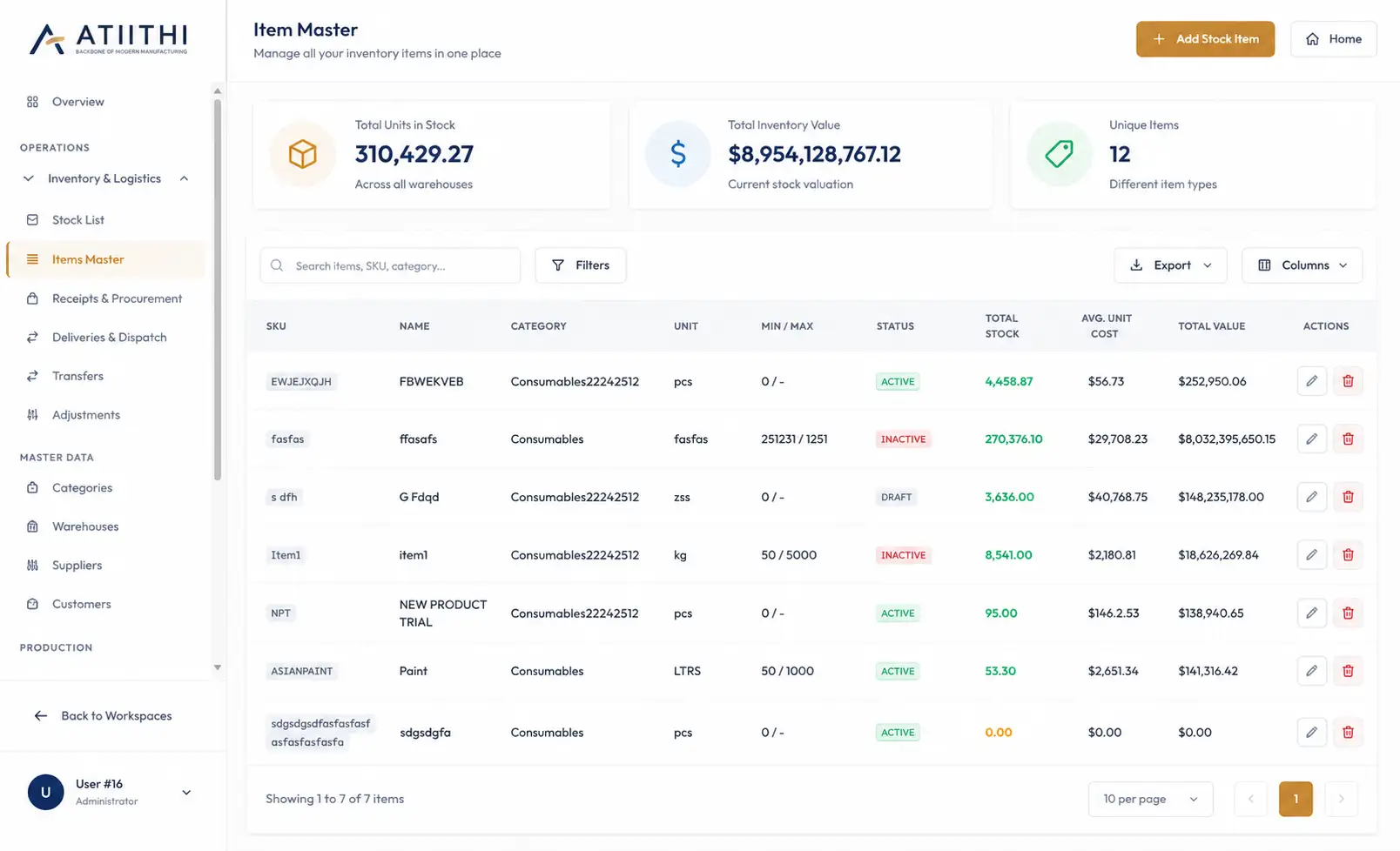
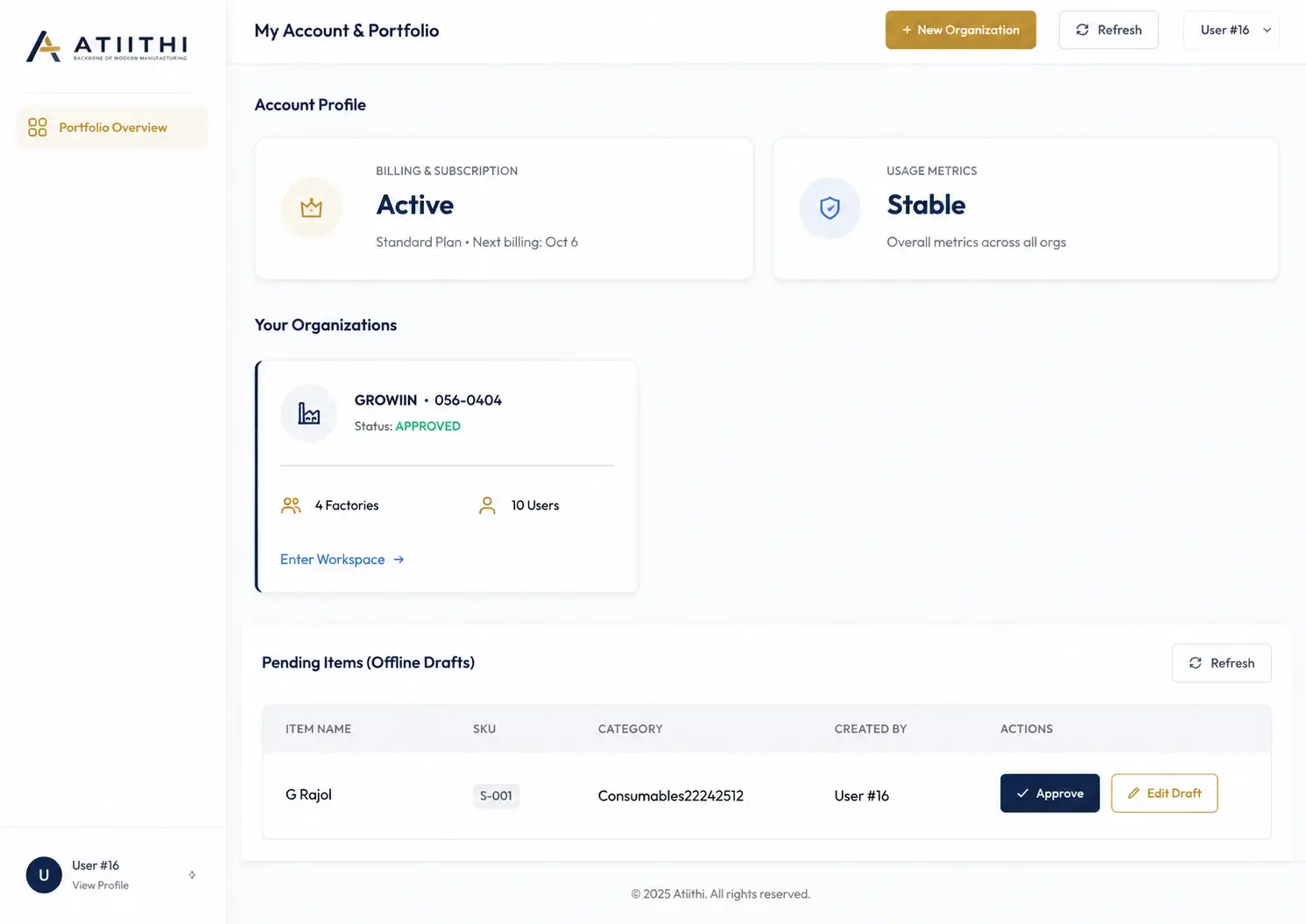
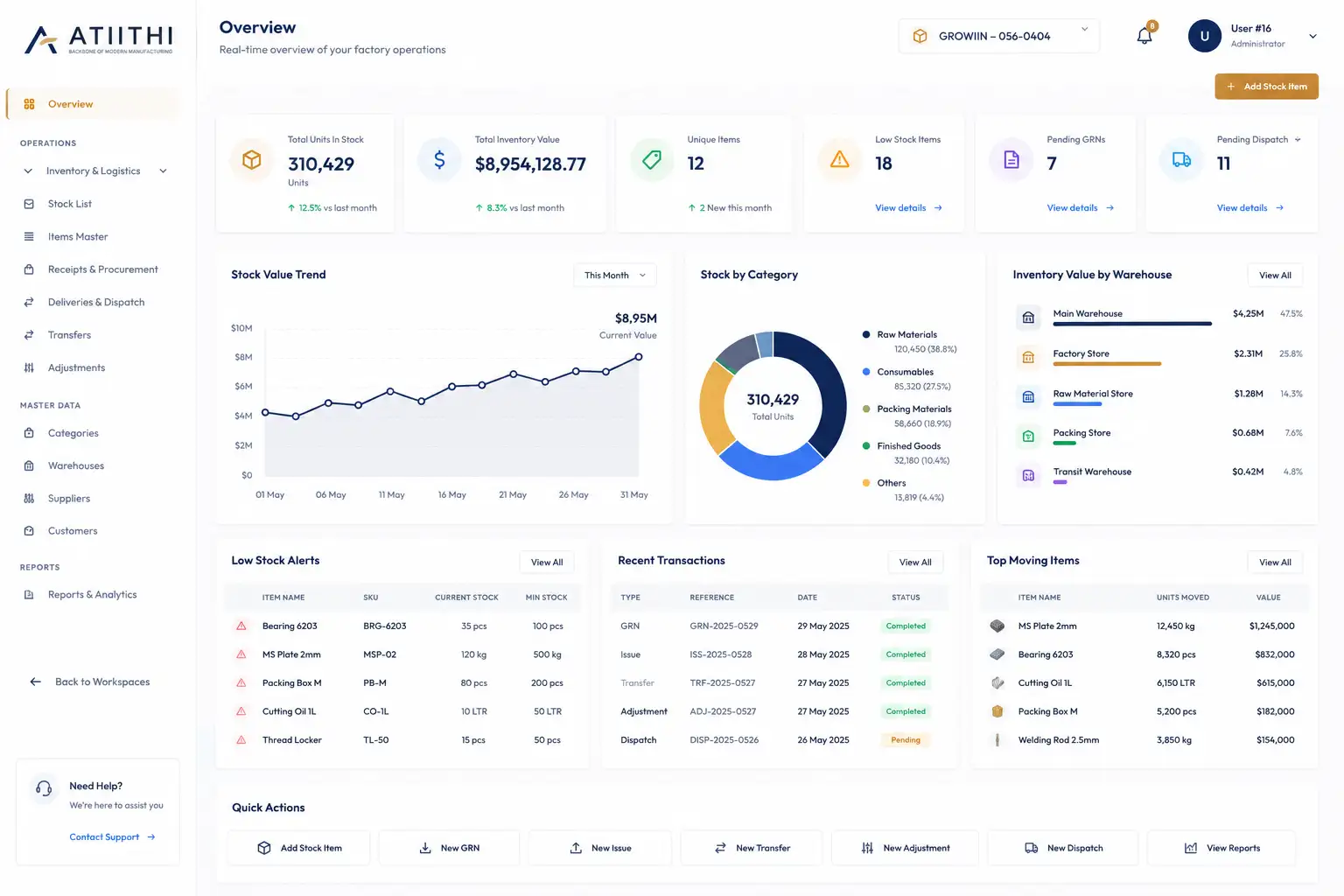
Switch between core system screens below to see how the ATIITHI interface looks on the plant manager's dashboard and the setup console.

https://app.atiithi.io/factory-01/dashboard
ATIITHI Factory Admin Dashboard Screen Recipe and Multi-Level BOM Builder Console ATIITHI Multi-Tenant Workspace Setup Screen
PLATFORM ENGINEERING

Core Technical Capabilities

Under the hood, ATIITHI runs on industrial-grade local database persistence, secure role scoping, and automated action triggers.

Works Without Internet

Factory tablets save entries locally if the connection drops. The system uploads saved logs automatically when Wi-Fi returns.

  • Local storage on tablets or PCs.
  • Automatic sync once connected to Wi-Fi.
  • Saves all logs securely on the device.

Secure Staff Logins

Restrict access based on staff roles so everyone sees only what they need for their shift.

  • Manage roles centrally (Owner, Manager, Operator).
  • Set permissions for invoicing or stores.
  • Keep business margins and settings private.

Automated Stock & Machine Alerts

System triggers that monitor stock levels and machine statuses to alert managers before problems occur.

  • Safety stock alerts when inventory items run low.
  • QC reject notifications when parts fail inspection.
  • Machine stoppage flags when downtime reasons are selected.
14 CORE SYSTEM MODULES

Integrated Modules Categorized

ATIITHI is built with 14 modular engines designed to link every department into a unified, secure database.

Execution

01. Raw Material Recipes (BOM)

Create recipe lists (BOM) with step-by-step assembly stages and raw material guidelines.

Execution

02. Job Stage Tracking

Schedule work orders and track job cards through stages (draft, approved, in-progress, completed).

Execution

03. Quality Checksheets

QC checkers log checks on tablets, mark parts as pass/fail, and quarantine rejects.

Execution

04. Machine Downtime Log

Track if machines are Running, Idle, or down for repair, and record downtime causes.

Execution

05. Workforce & Attendance

Log operator shift attendance, assign workers to jobs, and track daily output.

Execution

06. Production Cost Calculator

Calculate total costs per batch based on raw materials used and machine run time.

Supply Chain

07. Stock Ledger & Warehouses

Track stock count, record adjustments, get low stock alerts, and set warehouse locations.

Supply Chain

08. Procurement & PO

Manage supplier lists, generate purchase orders, and log Goods Receipt Notes (GRN).

Supply Chain

09. Logistics & Gatepass

Allocate items to sales orders, scan box labels, and print gatepasses for delivery trucks.

Supply Chain

10. GST Invoicing & Billing

Generate tax invoices and challans, verify credit limits, and match supplier bills.

Security & Setup

11. Secure Access Logins

Secure logins with JWT tokens and automatic logouts to protect data.

Security & Setup

12. Factory Data Isolation

Keep multiple factory datasets separate and secure under one corporate account.

Security & Setup

13. Manager Approval Rules

Trigger workflow approvals for purchase budgets, price overrides, and major inventory adjustments.

Security & Setup

14. History Audit Logs

View history logs showing who added, edited, or deleted any record in the system.
REPORTS & ALERTS

Standard Reports & Live Alerts

Pre-built reports and alerts that help you manage your daily shopfloor operations.

LIVE SYSTEM NOTIFICATION EVENTS

Immediate Shopfloor Warning Alerts

Simple alerts triggered by system actions:

  • Low Stock Alert: Sent to the purchasing team when safety stock margins are crossed.
  • QC Rejection Alert: Sent when checks fail and items are moved to quarantine.
  • Machine Stoppage Alert: Flags managers when a machine status sits in "Breakdown" or "Idle".
COMPLIANCE & YIELD REPORTS

Exportable Data Summaries

Downloadable Excel, CSV, and PDF reports generated directly from database entries:

  • Daily Yield Reports: Summarizes total items processed and pass/fail counts.
  • Material Consumption Logs: Compares planned recipe quantities against actual stock used.
  • Machine Run & Downtime Reports: Summarizes machine running hours and downtime reasons.